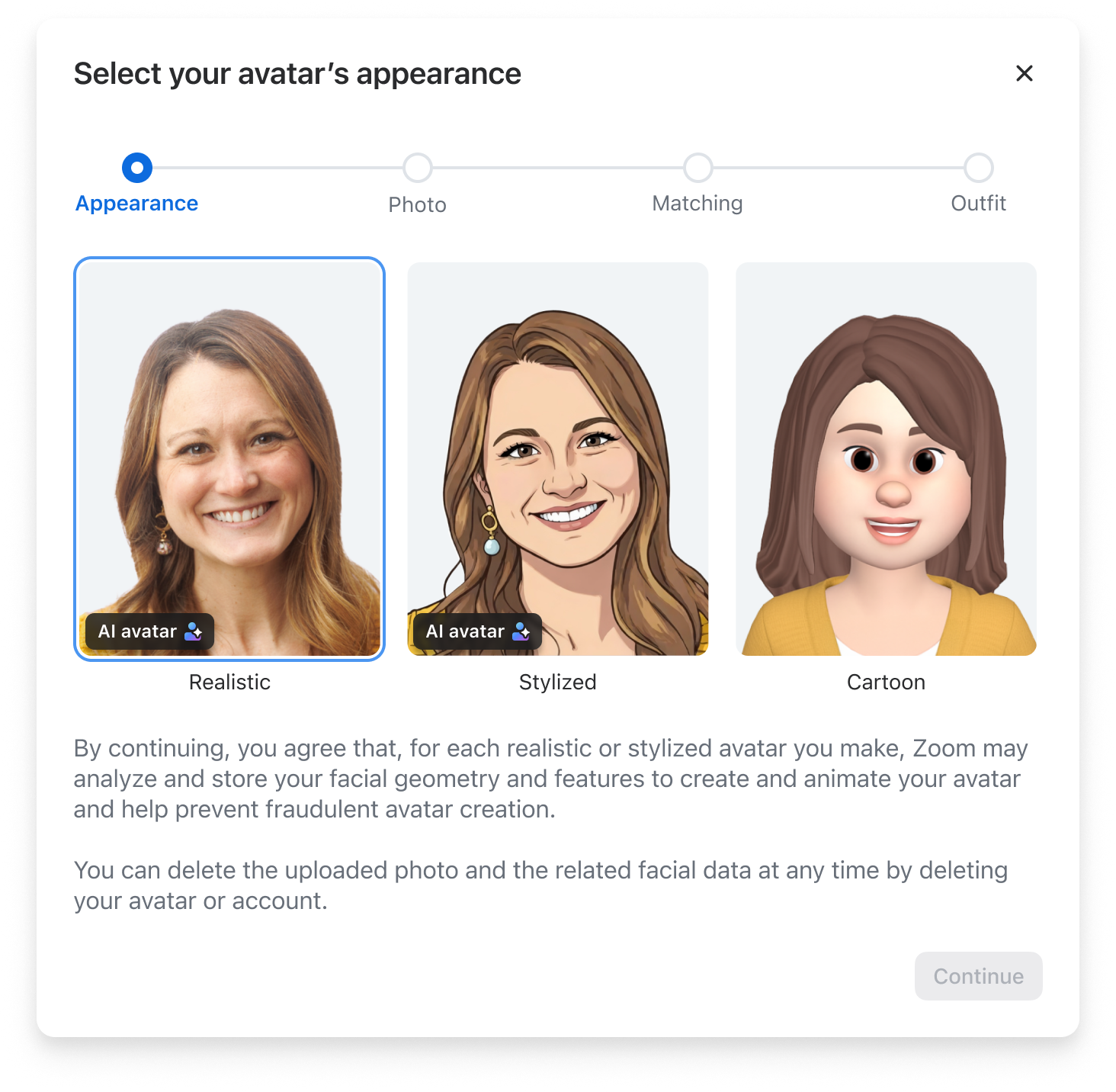
Avatars let you replace your live video feed with a 3D animated character that mirrors your facial expressions and movements in real time. You can select from the available animal characters or create a custom avatar. When creating a custom avatar, Zoom offers three types:
A cartoon avatar allows you to build a custom human avatar by selecting your preferred hair styles, clothing, and facial features from a gallery of options. You can use your cartoon avatar in a meeting with your camera on or off. If your camera is on while using a cartoon avatar, the selected avatar will mimic your head movements and facial expressions. This type of avatar is great for meetings where you want a visual presence without showing your face.
A realistic avatar is an AI-generated avatar created from your photo that produces a lifelike animated version of you. You can only use a realistic avatar in a meeting when your camera is on. It replaces your live video feed with an AI-generated avatar that looks like you and animates in real time to mirror your expressions.
A stylized avatar is an AI-generated avatar with an artistic, illustrated look based on your photo. You can only use a stylized avatar in a meeting when your camera is on as your live camera feed drives the real-time animation.
Note: The realistic and stylized avatars are available to customers in the US and will roll out to other regions in the coming months.
Zoom desktop app for Windows or macOS minimum version varies by feature Zoom mobile app for Android or iOS minimum version varies by feature
Note: The avatars feature is not available in all regions and at all account levels. If you do not see a specific feature, you may not have access to use it.
Cartoon avatars
Desktop (Windows/macOS):
Windows 7, 8, 10+ (64-bit) or macOS 10.13+
Intel 4th gen+ processors or equivalent AMD/Apple Silicon
Graphics card supporting Direct3D 11 (Windows)
Note: When comparing your processor with the requirements, the generation of your processor can be determined by the first digit (or two) of the processor number, while the remaining 3 digits are the model number. For example, an Intel i7-6700 is the 700 model of the 6th generation of i7 processors.
Realistic and Stylized avatars have additional hardware requirements due to their AI animation pipeline.
Zoom desktop app
Windows: 7.0.0or higher
macOS: 7.0.0 or higher
Hardware requirements:
Platform
Minimum Hardware
Windows desktops
NVIDIA RTX 3060 or above (30-series); RTX 4060 or above (40-series); RTX 5050 or above (50-series); NVIDIA RTX Ada 2000 or above; NVIDIA RTX PRO generation 2000 or above
Windows laptops
NVIDIA RTX 4060 or above (40-series); RTX 5050 or above (50-series); NVIDIA RTX Ada 1000 or above; NVIDIA RTX PRO generation 1000 or above
macOS
M3 Pro or M4 Pro chip or above
Note: Realistic and stylized avatars will not appear as options on devices that do not meet these requirements.
Avatars can be used in conjunction with virtual backgrounds and immersive view, allowing you and others to create an even more fun and captivating scene for your participants and attendees.